Back to work

CASE 01

User Data Management System

UX DesignAI PrototypeUser flowUsability TestingMVP Definition

This project focused on designing the Personal Information experience for an AI-powered platform that helps users process complex U.S. tax documents. My role was to create a clear and reliable experience that enabled users to review, verify, and complete extracted information while maintaining trust, transparency, and compliance.

MY ROLE
Product Designer
TEAM
2 Product Designers 2 Product Managers 8 Developers
DURATION
4 months
TOOLS
Figma, V0, Figjam, Jira
User Data Management System

Impact at a glance

CHALLENGE

Balancing automation and user control in a high-risk, document-heavy tax workflow where AI accuracy could not be fully trusted.

MY APPROACH

Mapped the data model, defined edge cases and fallback flows, and prototyped quickly with Figma and V0 to validate the experience with product and engineering.

OUTCOME

A transparent review experience where users can trace data back to its source, edit AI-extracted fields, and complete the flow manually when needed.

ABOUT PROJECT

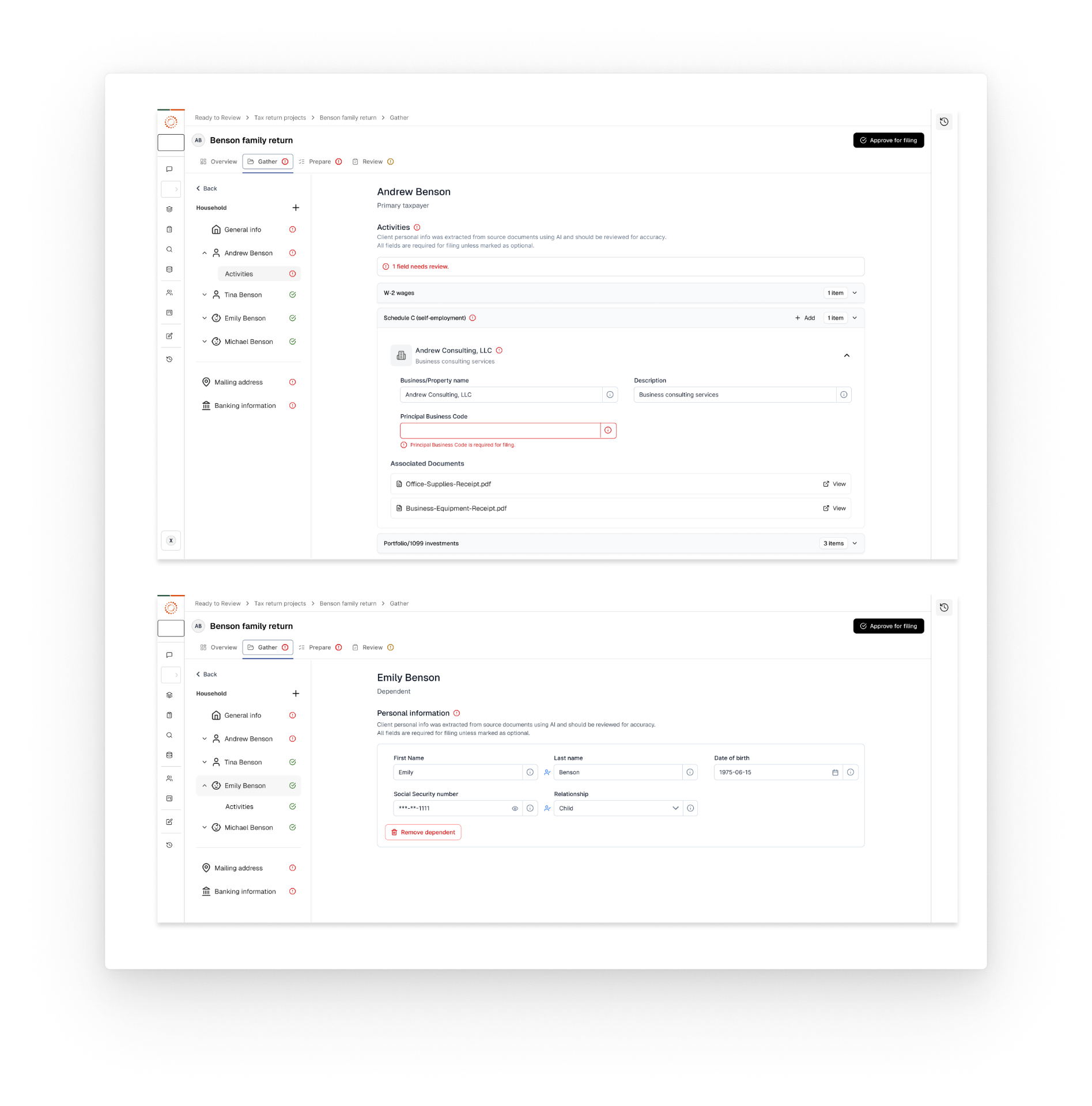
This project focused on designing the Personal Information experience for a platform that helps users process complex U.S. tax documents using artificial intelligence. The system allows users to upload official tax documents, which are then analyzed by AI to extract and structure personal and household information required for tax filing. My role as a UX Designer was to design a reliable, transparent, and flexible experience that allowed users to review, correct, and complete AI-extracted data, while ensuring clarity, trust, and compliance in a high-risk financial context.

CHALLENGES

  • Designing a balance between automation and user control in a high-risk, document-heavy workflow.
  • Making extracted data easy to review and correct.
  • Supporting manual data entry alongside automated extraction.
  • Handling rare but critical error scenarios where automation failed.

ACHIEVEMENTS

  • Designed a clear and transparent data review experience.
  • Enabled users to trace data back to source documents.
  • Created flexible flows for both AI-extracted and manual data.
  • Improved design system patterns for complex data states.

The process

DISCOVER

Discovery & System Audit

DEFINE

User Scenarios & Edge Case Definition

DESIGN

Rapid Prototyping & Concept Exploration

VALIDATE

Error Handling & Fallback Design

DELIVER

High-Fidelity Design & System Integration

DISCOVER

Discovery & System Audit

Learning how documents, data, and AI extraction worked

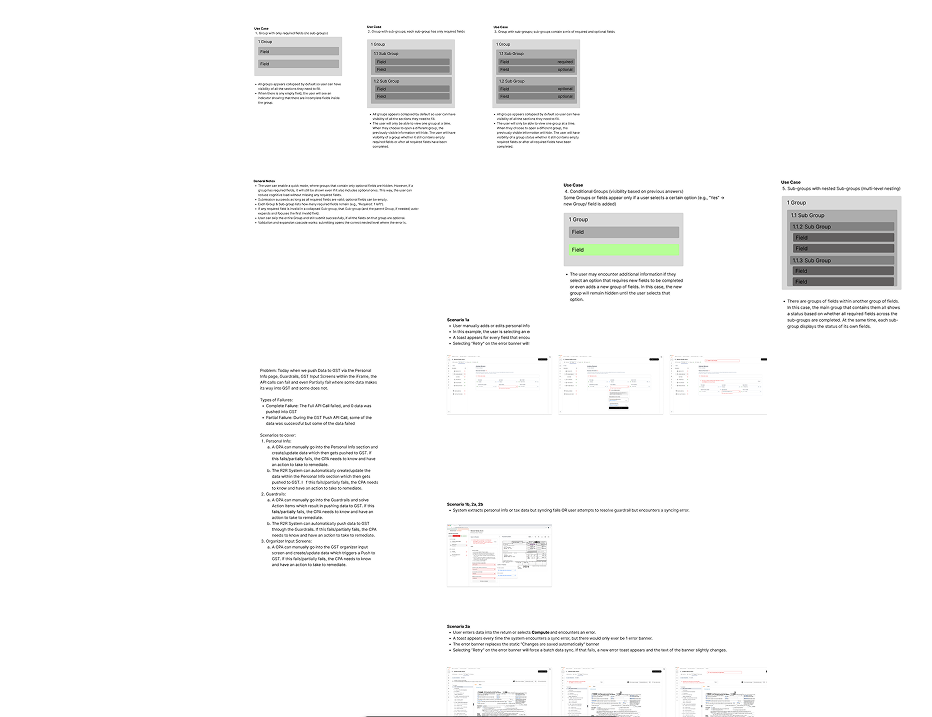
The first stage focused on deeply understanding the data model and document structure behind the product. This phase was essential to ensure that the UI accurately reflected the system logic and supported all required scenarios.

  • Analyzed the tax documents commonly used by the system to understand what information was extracted.
  • Reviewed back-end JSON files and schemas to map all available fields and their relationships.
  • Identified how personal data, household information, and dependents were structured within a tax declaration.
  • Collaborated with engineering to understand how AI extraction worked, including confidence levels and known limitations.
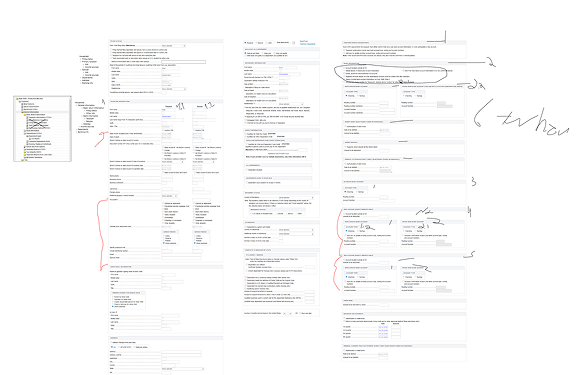
Discovery & System Audit visual

DEFINE

User Scenarios & Edge Case Definition

Translating system complexity into user needs

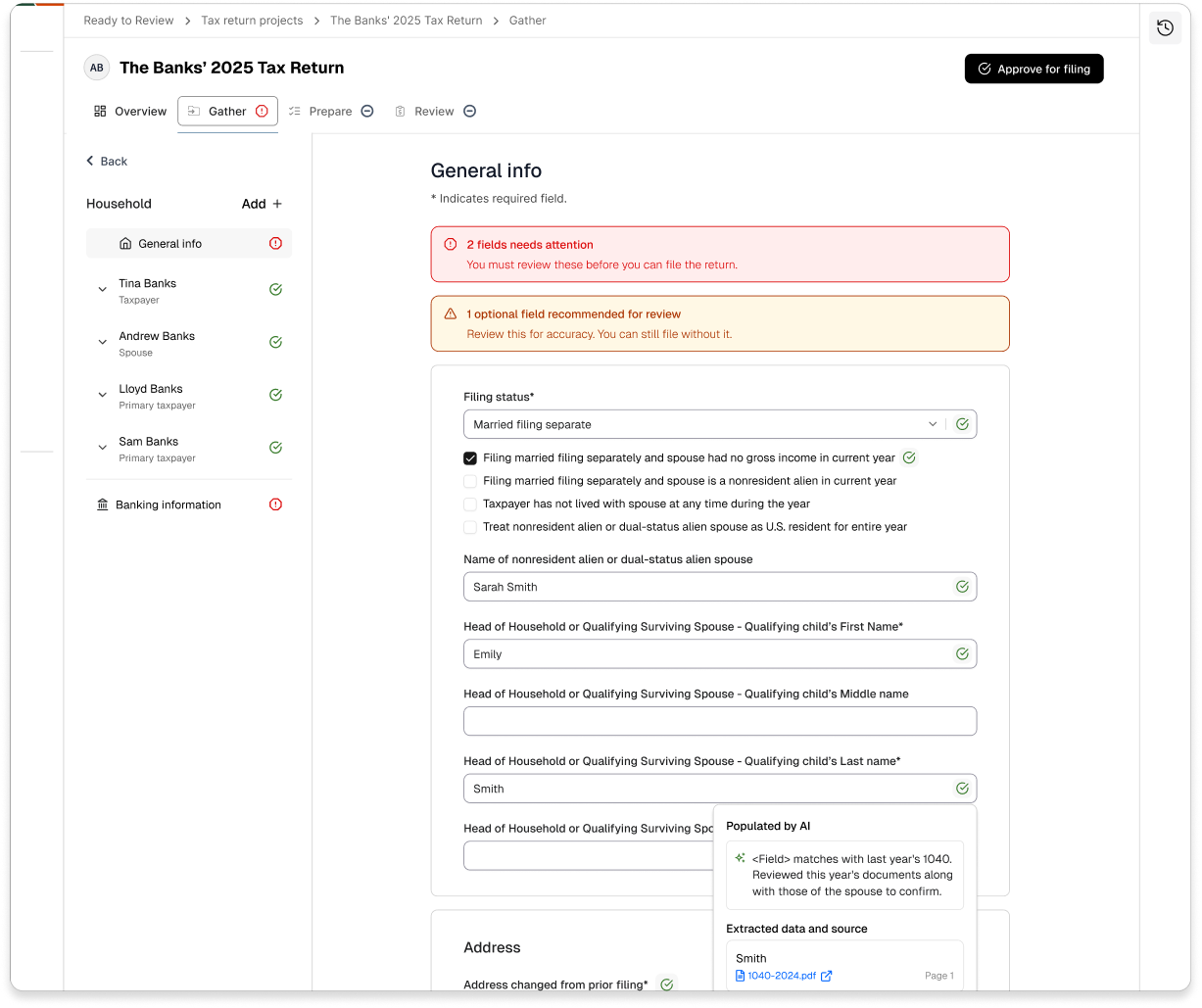
Once the data structure was clear, I focused on defining the most important user scenarios, especially those involving uncertainty or errors. This included enabling users to edit incorrect AI-extracted information, understand which document and section each data point came from, and manually add missing information when needed. A key requirement was clearly differentiating AI-generated data from user-entered data. I also considered complex household setups, including multiple dependents, ensuring the experience scaled across different tax situations.

User Scenarios & Edge Case Definition visual

DESIGN

Rapid Prototyping & Concept Exploration

Exploring solutions quickly with the team

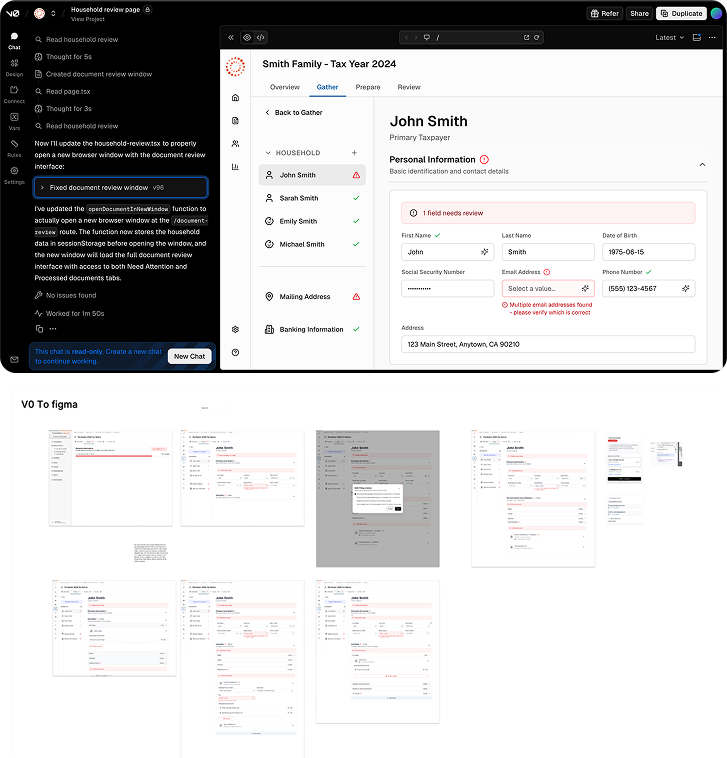
To explore and validate ideas efficiently, I created multiple design proposals using Figma and V0. These prototypes allowed me to compare different ways of displaying AI-extracted data, test visual indicators for data origin, and validate information hierarchy and editing flows. Designs were reviewed collaboratively with product and engineering during working sessions, helping the team converge quickly on a consolidated direction.

Rapid Prototyping & Concept Exploration visual

VALIDATE

Error Handling & Fallback Design

Designing for rare but high-impact failure cases

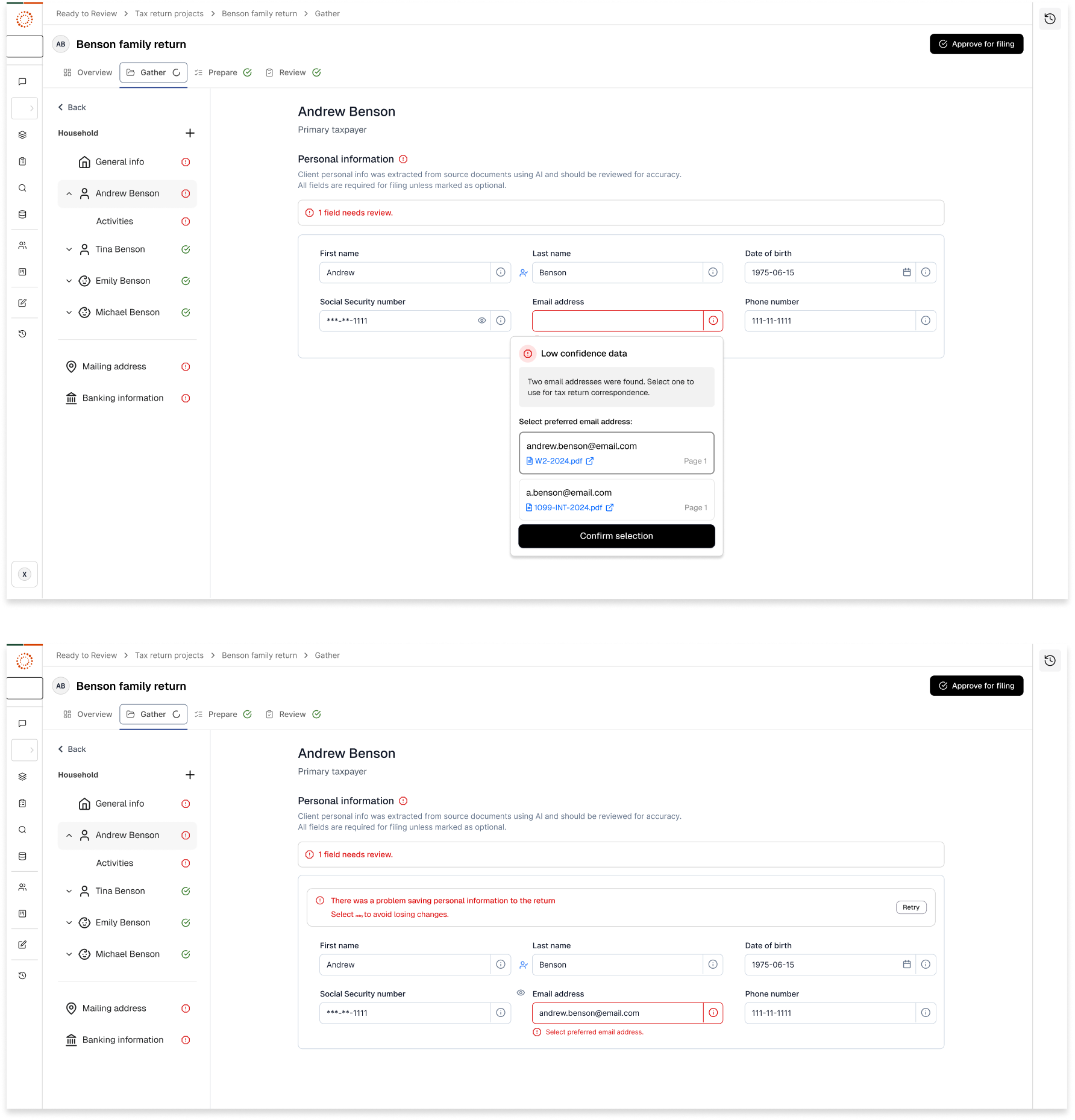
A critical phase of the project was designing for failure and low-probability edge cases. Although complex extraction errors occurred in less than 0.5% of cases, the product needed to remain fully usable even when AI could not be trusted. I designed fallback flows that allowed users to complete the entire experience manually, along with clear messaging when extracted data could not be validated. Special attention was given to safe progression states to prevent data loss in complex error scenarios, ensuring the experience remained trustworthy even in worst-case situations.

Error Handling & Fallback Design visual

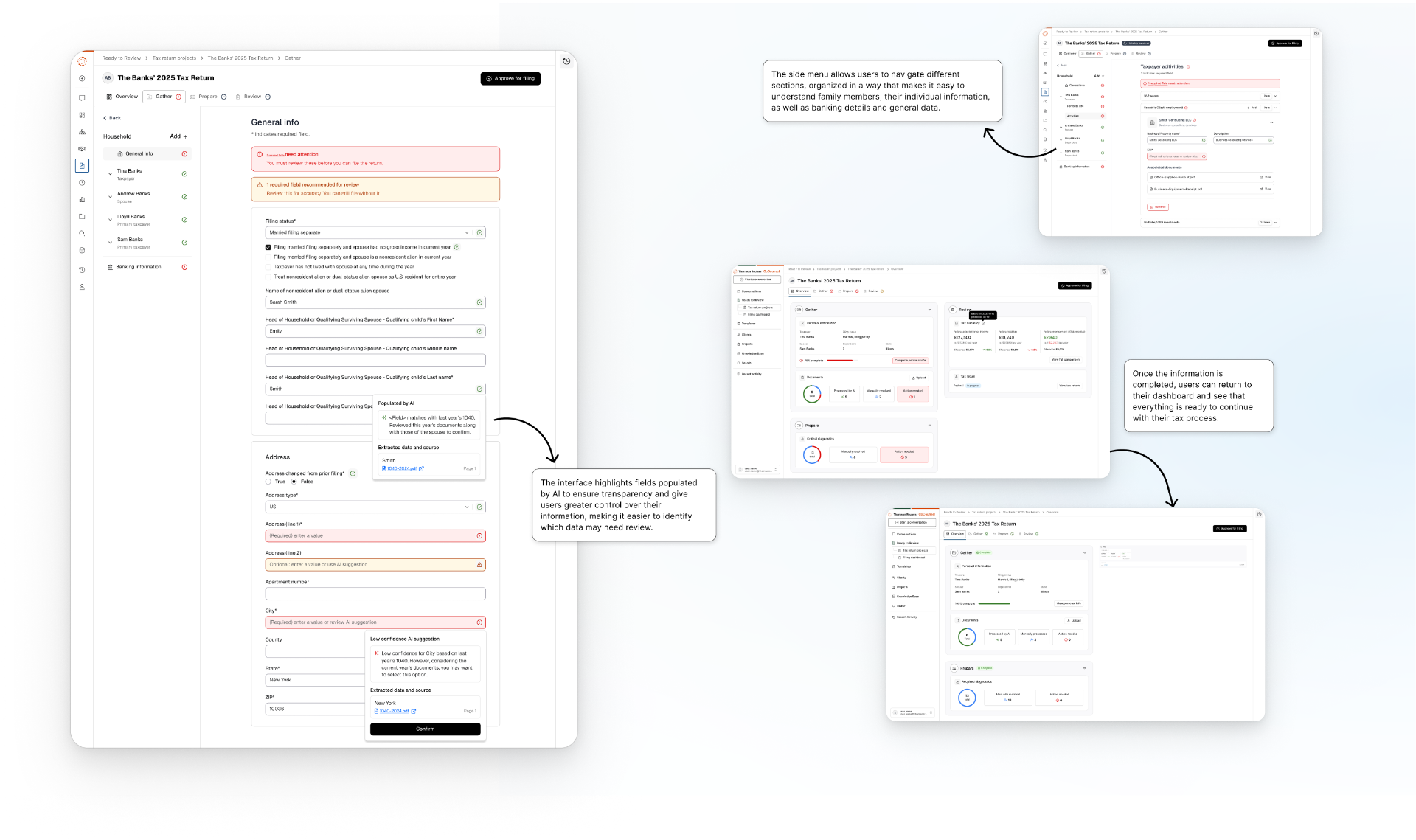
An overview of the main flows and screens, showing how users navigate the experience, interact with AI-extracted data, and complete their tax return.

Overview of key flows and screens across the experience

DELIVER

High-Fidelity Design & System Integration

Scaling the solution with the design system

After validating the core flows, I moved into full design execution. All screens were designed using the existing design system, which I extended where necessary to better communicate field states, data confidence, and the distinction between manual and AI-generated inputs. I also built a functional, high-fidelity prototype to support usability testing. These updates helped improve both the clarity of the experience and the scalability of the design system.

High-Fidelity Design & System Integration visual

SIDE PROJECT: DESIGN SYSTEM & DOCUMENTATION

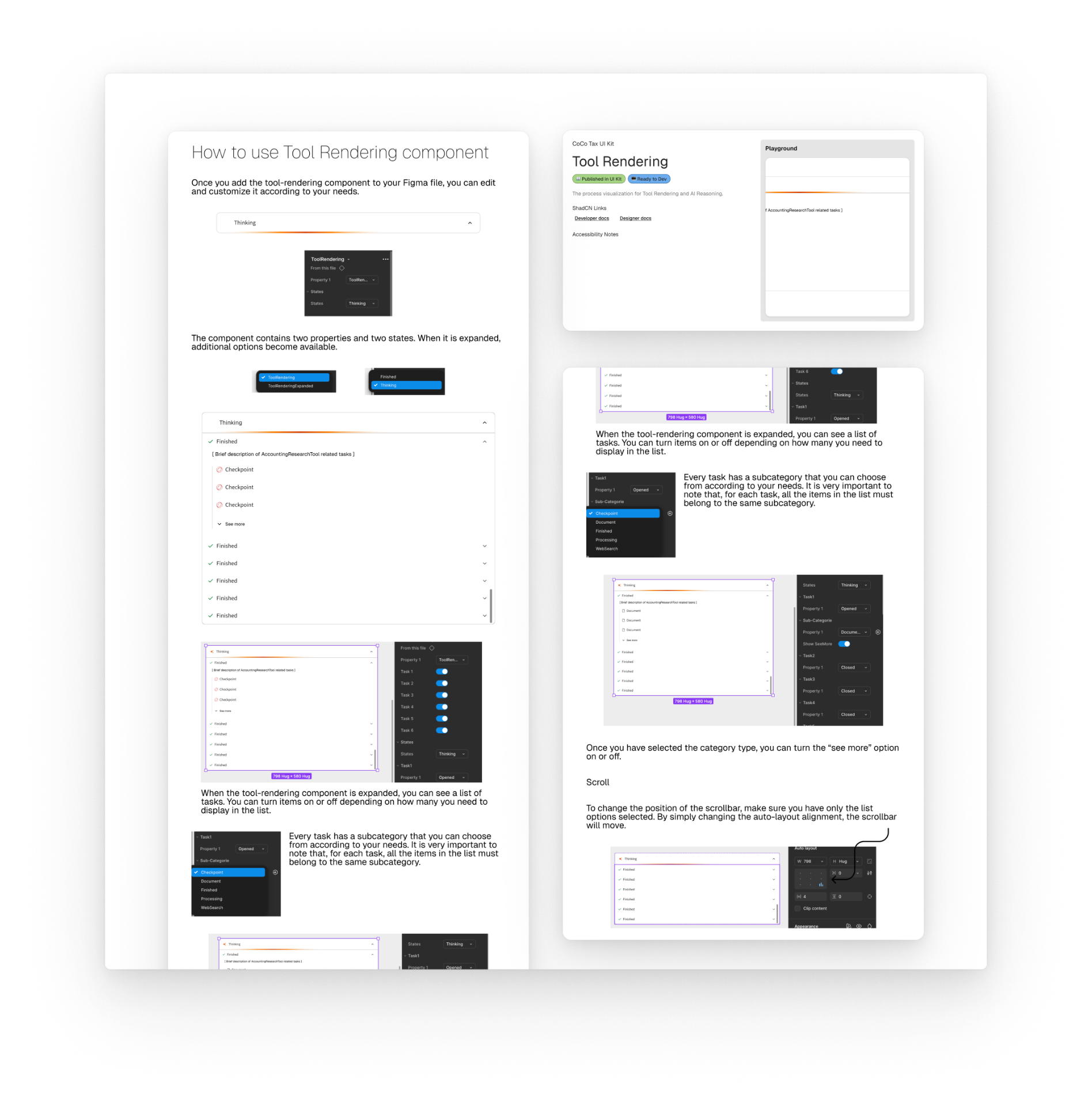
Creating a reusable component for the design system

While working on the personal data experience, I also supported the creation of a new reusable component needed across different areas of the platform. Although it was not directly related to my project, the team required design support because the component would be used in multiple features. To approach this, I gathered information about existing and potential uses of the component, speaking with other designers to understand how it might be applied in their projects. This helped identify the different scenarios and requirements the component needed to support. I then mapped these use cases to define the component structure, variants, and states, ensuring it could adapt to multiple contexts while staying consistent with the design system. Finally, I created the documentation and usage guidelines, which were added to the design system so designers and developers could easily reuse the component across the product.

Creating a reusable component for the design system
Previous case: Application for the learning of children in MexicoNext case: Design New Onboarding Store