Back to work

CASE 04

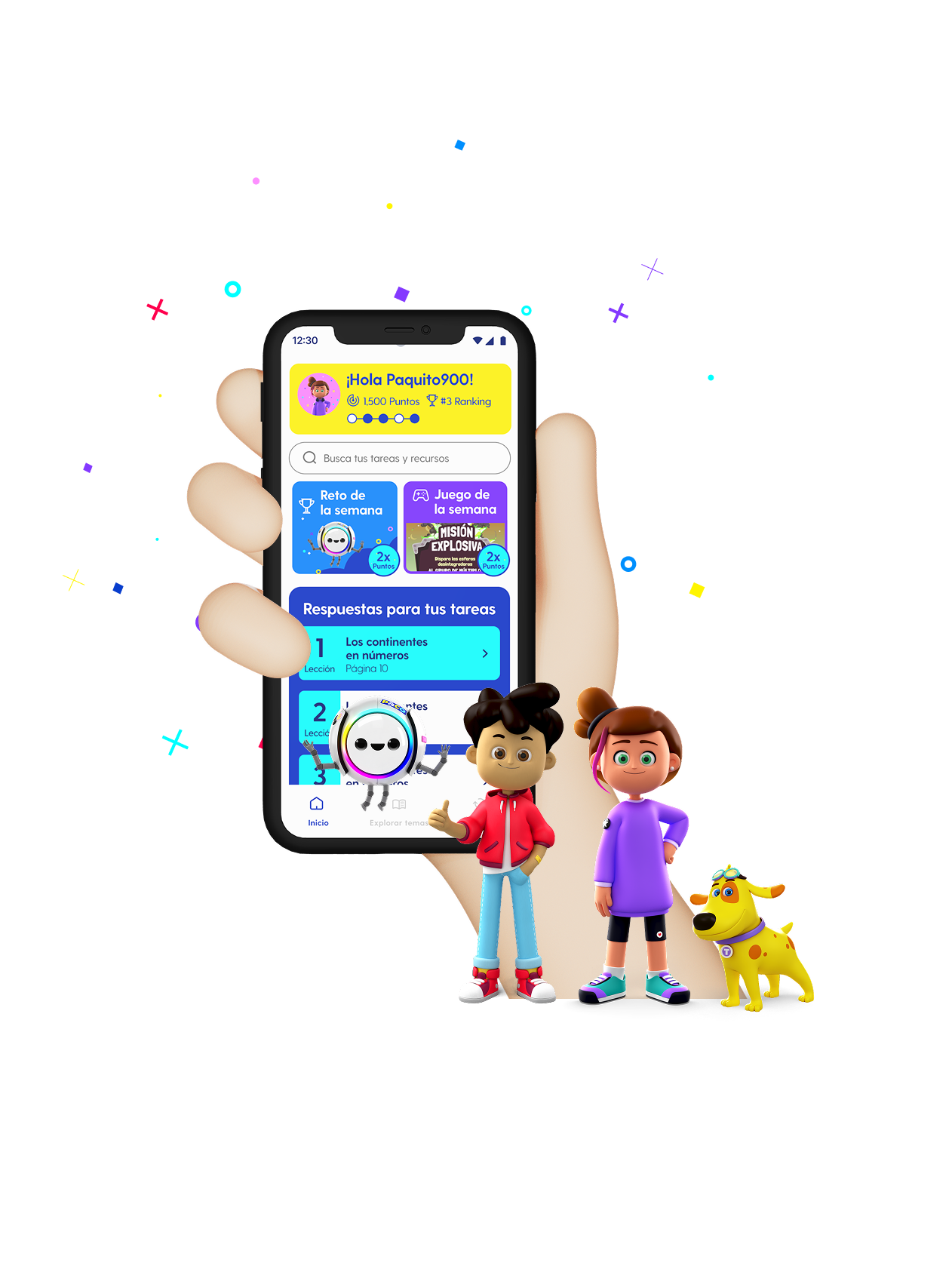
Application for the learning of children in Mexico

As the educational landscape in Mexico is in a constant state of change, a new mobile platform was born to provide higher quality educational support and more inclusive access to all students.

MY ROLE
Product Designer
TEAM
1 Product Designer
DURATION
4 months
TOOLS
Figma, FigJam
Application for the learning of children in Mexico

Impact at a glance

CHALLENGE

Children in Mexico face hard challenges during their educational path, often lacking access to quality learning and basic teaching tools.

MY APPROACH

We ran a comprehensive research process, aligned all stakeholders, and defined a clear design framework to build a scalable mobile learning platform.

OUTCOME

A solid, scalable application that met the needs of educators, students, and school faculty, delivered on time to the development team.

ABOUT PROJECT

As the educational landscape in Mexico is in a constant state of change, a new mobile platform was born to provide higher quality educational support and more inclusive access to all students. Children in Mexico are facing hard challenges during their educational path, often lacking access to quality learning, and sometimes even basic teaching tools. Through this project, we developed a new platform. One of the key challenges was aligning the experience of all stakeholders involved. In this light, we conducted a comprehensive research process while defining the framework of the design process.

ACHIEVEMENTS

  • A research, prototype, and documentation application that seeks to solve different user groups' problems.
  • Ensured all user stakeholders have an engaging and innovative way to interact with the product.
  • Delivered a solid, scalable tool with the mission of impact on kids.
  • The final product met the needs of both educators, emerging consumers, and school faculty, delivered on time to the development team.

The process

DISCOVER

Business Discovery

DEFINE

Definition

DESIGN

Wireframing & Design System

VALIDATE

User Testing

DELIVER

Hand-off

DISCOVER

Business Discovery

Research with stakeholders and end users

In the initial business discovery phase, we conducted research through interviews with both stakeholders and end-users to understand the core needs of the users and the business objectives. This process allowed us to accurately map our users after researching the product, its users, and the strategic objectives of our stakeholders. By combining these perspectives, we identified opportunities where user needs and business goals aligned, ensuring that our design process would be truly value-driven and creating a solid foundation for the next phases of the project.
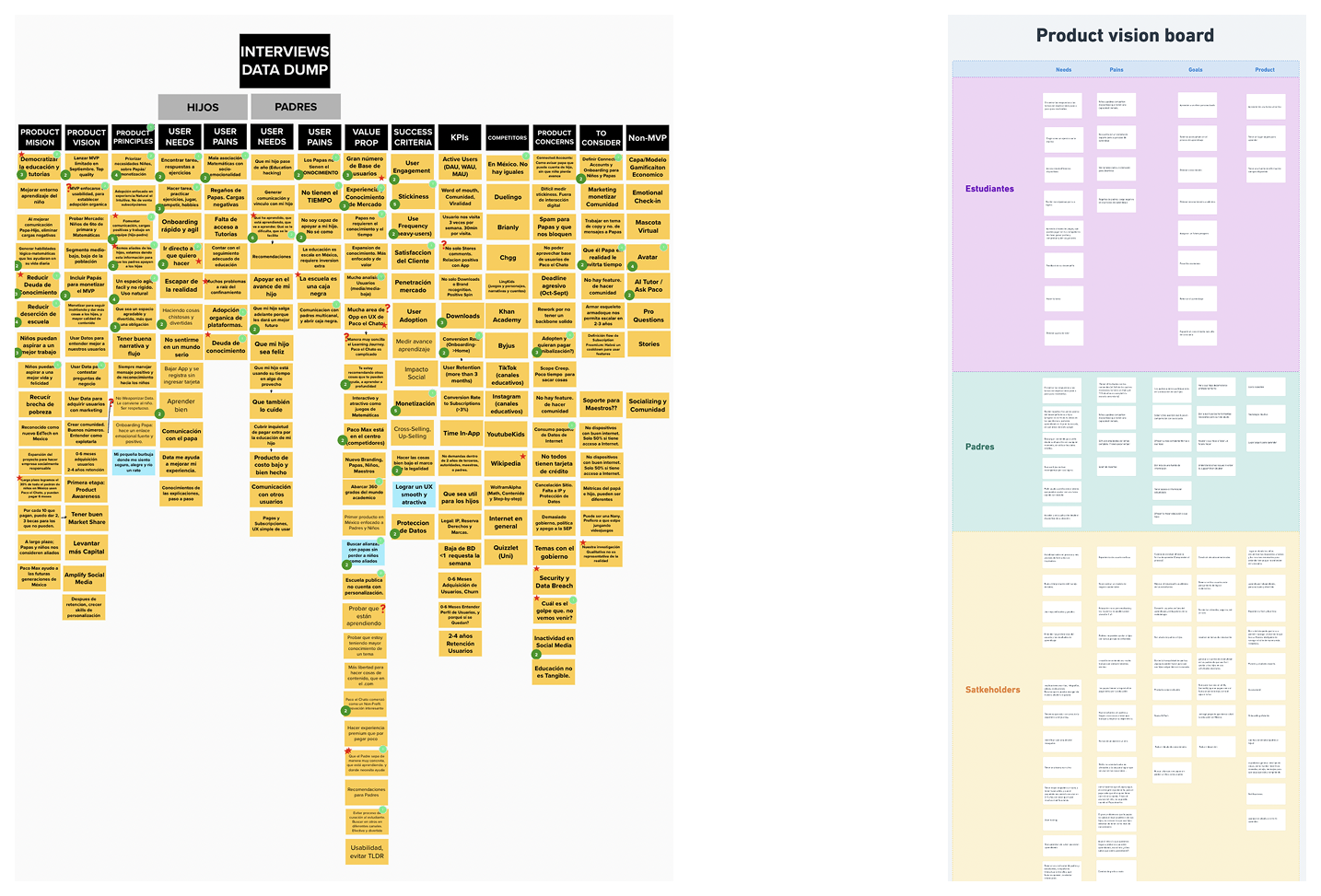
Business Discovery visual

Needs

  • Find the answers to the homework with step-by-step explanations to solve them.
  • Choose how an exercise is explained to you (differents learning materials: videos, infographics, games, etc..)
  • Feedback on student's performance
  • Visibility about the student's progress in a clear and inspiring way.
  • Identify where the students lagged behind.

Pains

  • Students do not have a support system for their learning process.
  • Parents do not know the academic level of their children, they do not know what their children should have as a level of knowledge.
  • Parents cannot help their children with homework because they do not understand the subjects (74% of Mexican parents do not have a degree and 11% of them did not complete high school).

Goals

  • Students want to feel that they are accompanied in the learning process.
  • Students want to obtain academic recognition
  • Expand knowledge beyond the school
  • Improve students' academic performance
  • Parents want to help their children forge a better future
  • Parents want to be more involved in their children's education.

Product

  • An app that adapts to the way you learn
  • A place where children find the answers to homework assignments and the resources they need to understand topics they don't understand in school.
  • Have a source of information always available
  • Have a safe place to learn

DEFINE

Definition

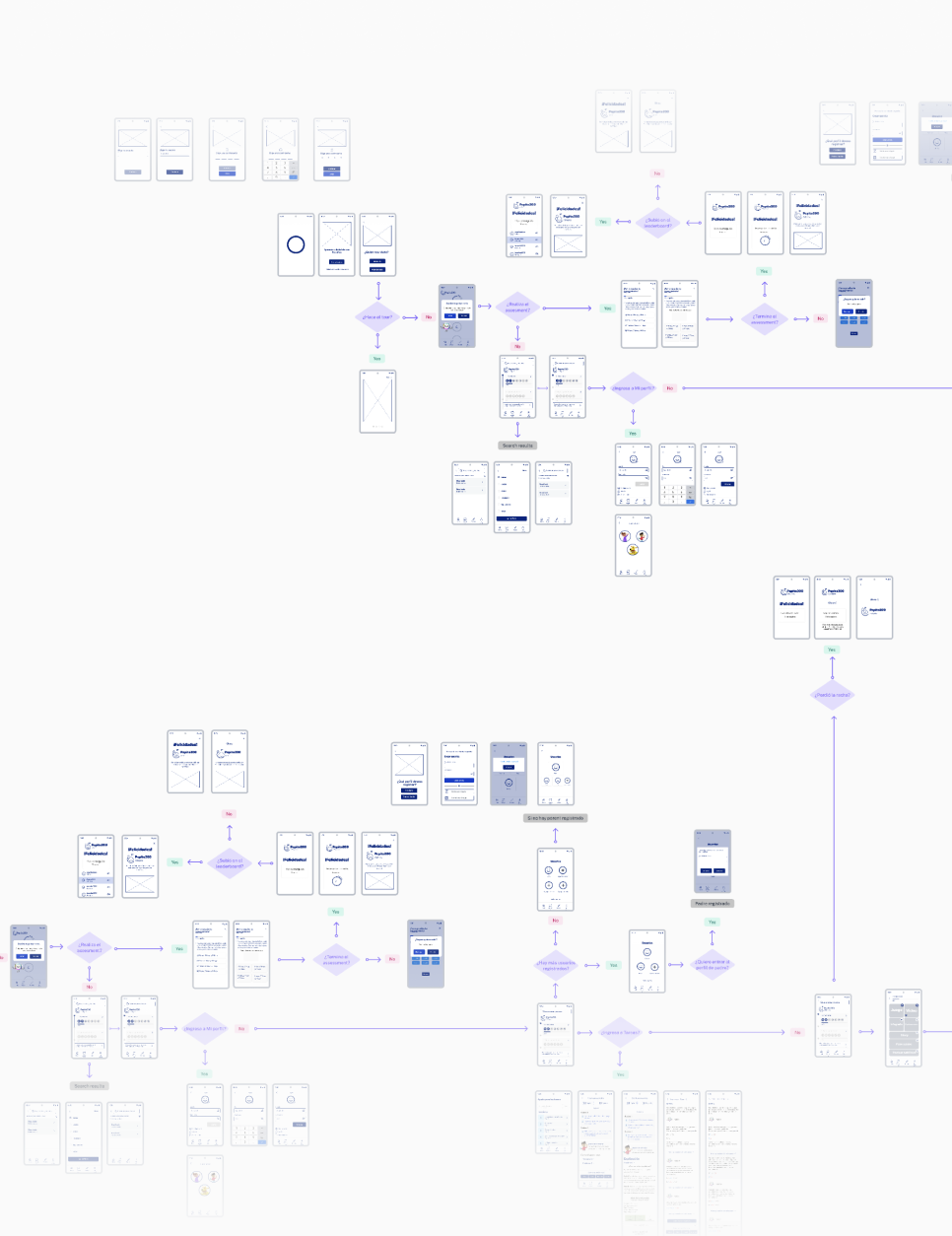
Turning research into personas and user flows

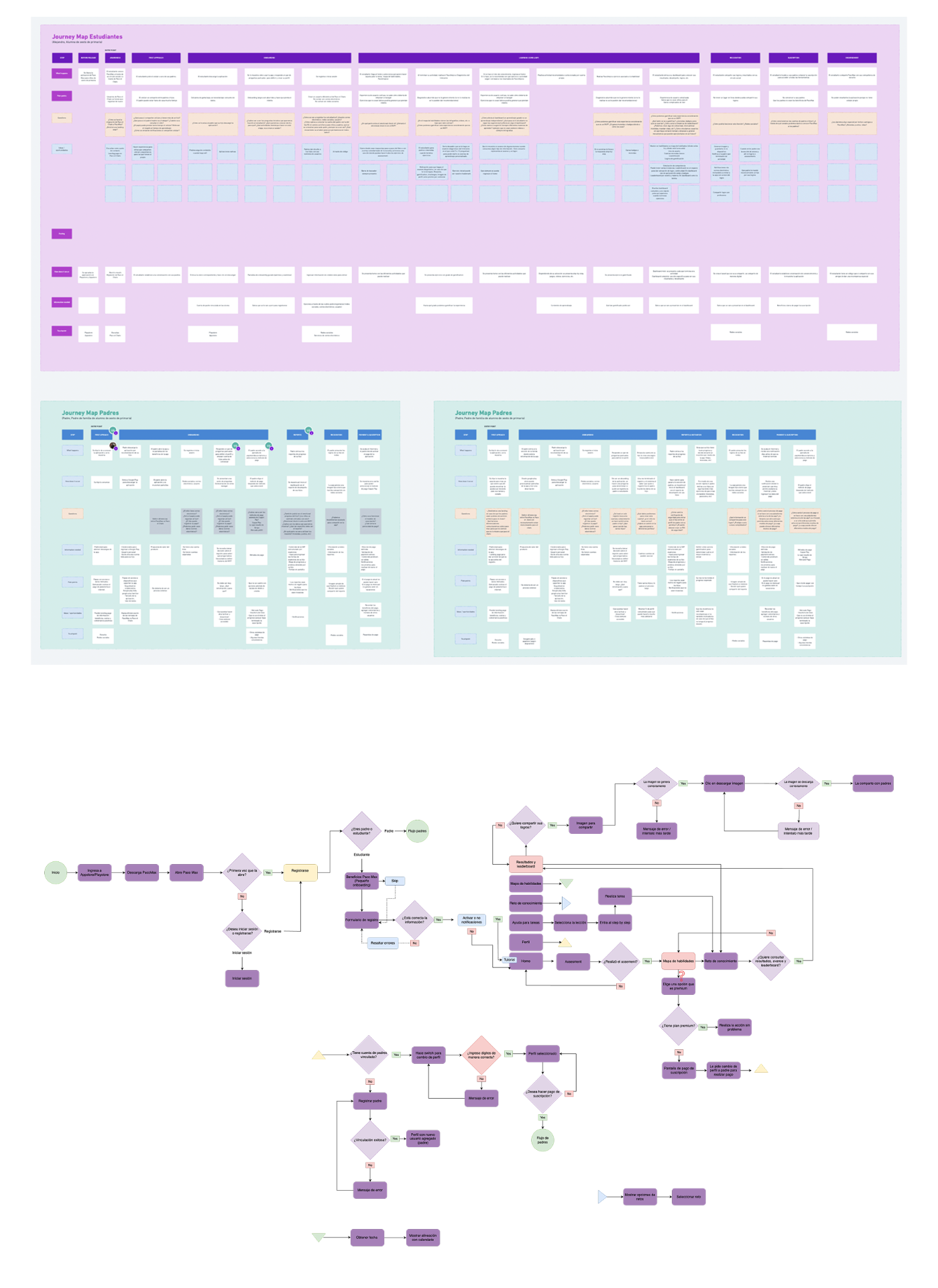
In the definition phase, we synthesized our research findings into clear and actionable insights by creating user personas and stakeholder user flows. These materials were used to align the entire project team, from stakeholders to end-users. We worked closely with the development team to identify what steps to take and what to modify to ensure a smooth user experience. Through the personas, we refined the experience to address clear user pain points and provide solutions. This stage was critical to ensure that the entire team truly understood the meaning of each design and development decision and how it impacts the user.

Definition visual

DESIGN

Wireframing & Design System

From low-fidelity wireframes to a scalable visual system

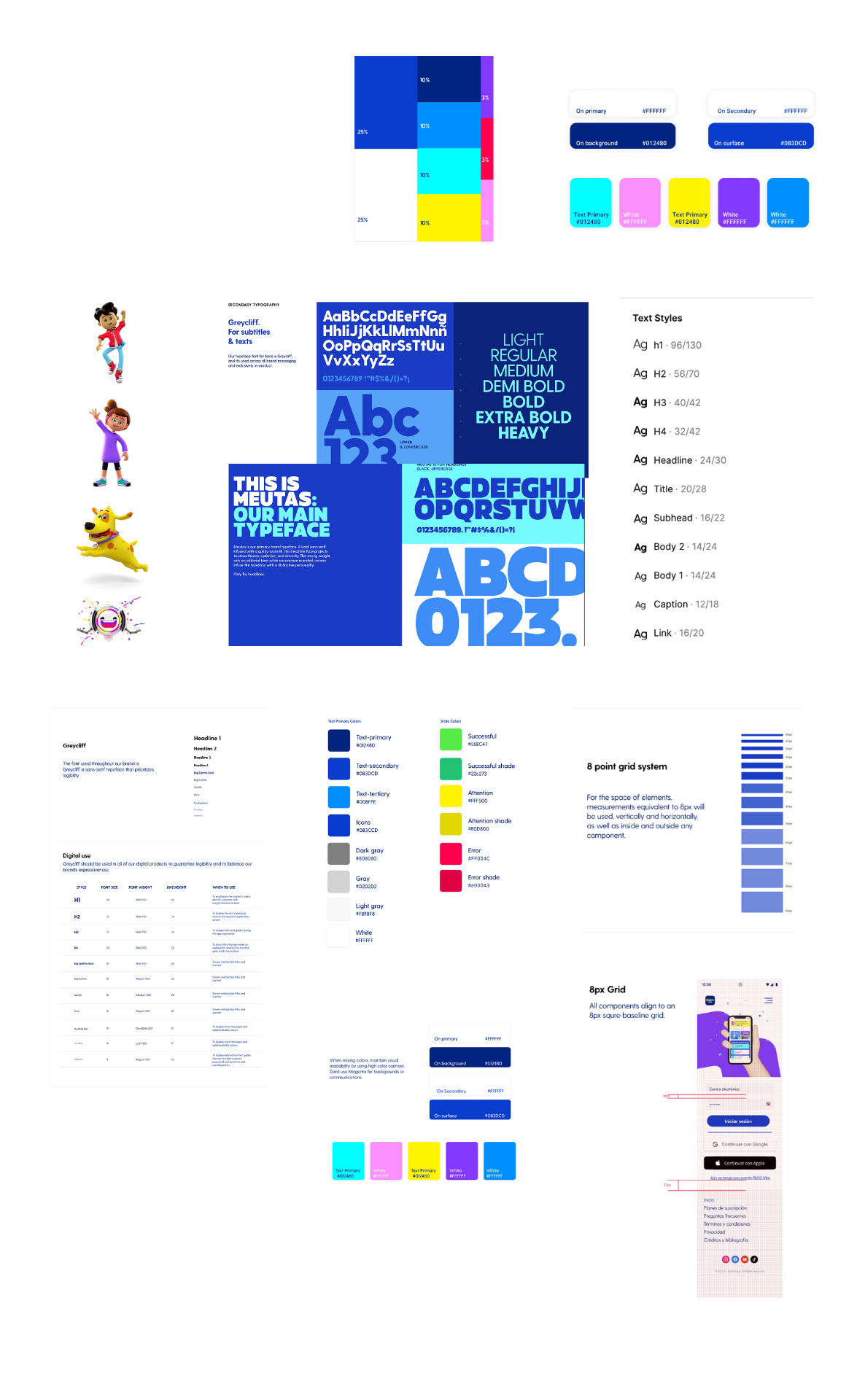
In the wireframing stage, we translated the approved user flows into low-fidelity wireframes, helping us visualize the structure and interactions of the platform. This allowed us to iterate on initial ideas and identify key navigational elements and core components before investing in UI. We then built a design system that includes a library of UI elements and standardized typography to ensure uniformity across the product. The goal was to create a system that is easy to understand, accessible, and easy to implement, giving developers all the building blocks they need while saving time and resources in the future as components are reused across the platform.

Wireframing & Design System visual
DESIGN SYSTEM

A playful, scalable visual language

Built from scratch following atomic design — from color tokens and typography to characters, icons and reusable components — giving the team a kid-friendly toolkit that keeps the product consistent as it grows.

Design system with atoms, molecules and brand elements

VALIDATE

User Testing

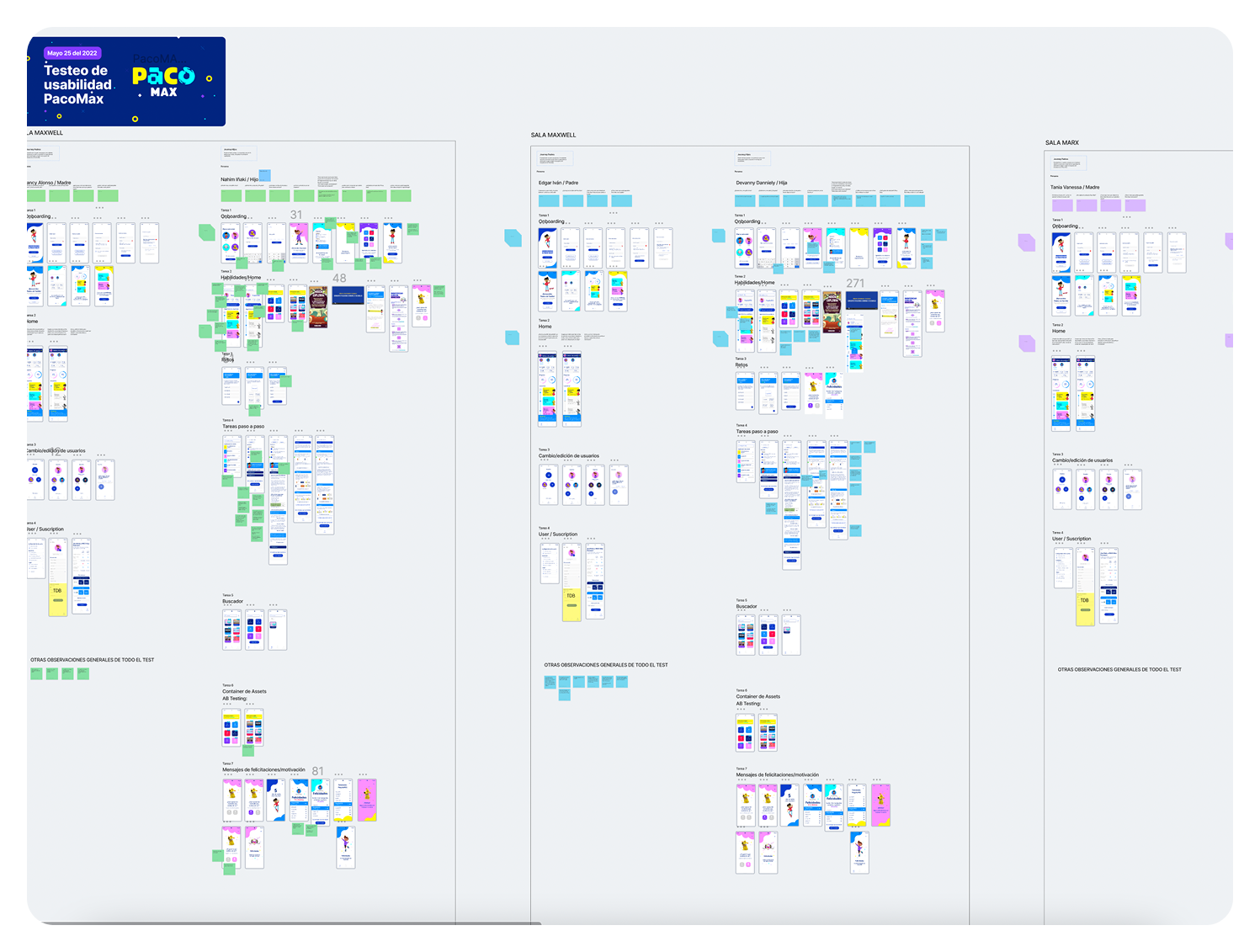
Testing the prototype with children and stakeholders

For the usability testing phase, we tested the prototype together with our stakeholders to validate the design and functionality. We conducted several rounds of tests. The application offered a completely fresh perspective, as children often found different ways to interact with the interface, which helped us identify changes we could implement. Feedback from the users allowed us to make necessary improvements, ensuring the experience was seamless and intuitive for all the children testing the application.

User Testing visual

DELIVER

Hand-off

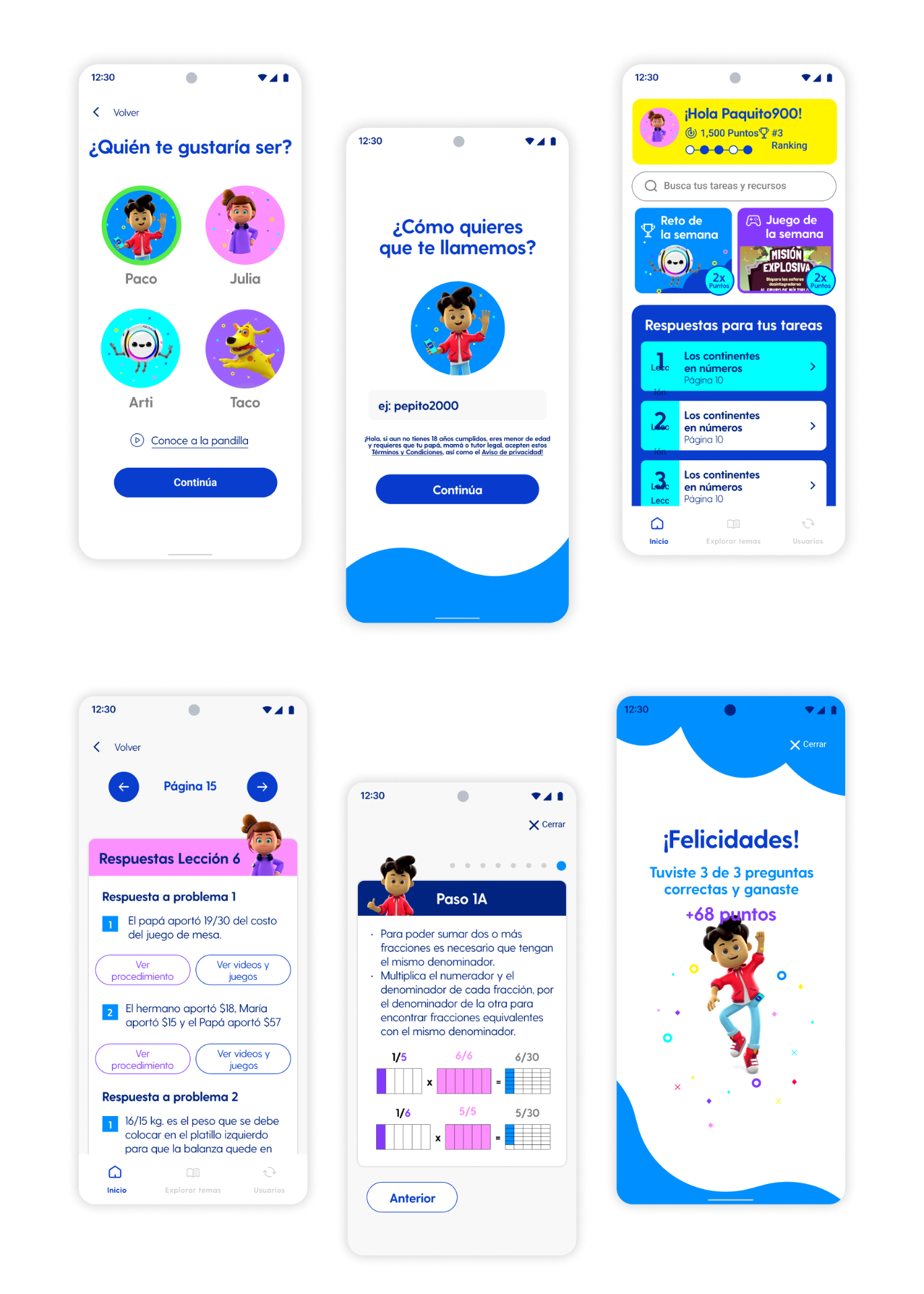
Delivering the complete UI/UX to the development team

In the hand-off stage we delivered the complete UI/UX, including individual components and documentation for developers — the last milestone before launch. This involved documenting every interaction, state change, responsive asset, and UI detail to ensure a clear roadmap for adding new features and enhancing the experience. By preparing thorough hand-off documentation, we ensured that both the development team and the stakeholders could move forward with the application with zero confusion regarding the design.

Hand-off visual

Best practices and lessons learned

  • UI and UX work in parallel
  • Good communication and team work with the development team
  • Constant customer feedback
  • Testing with real users
  • Be clear on iteration timing (set end date)
  • Make the client aware of design processes
  • Limit the client's scope of action (explain the rational for design decisions)
Previous case: Digital Learning Platform DesignNext case: User Data Management System